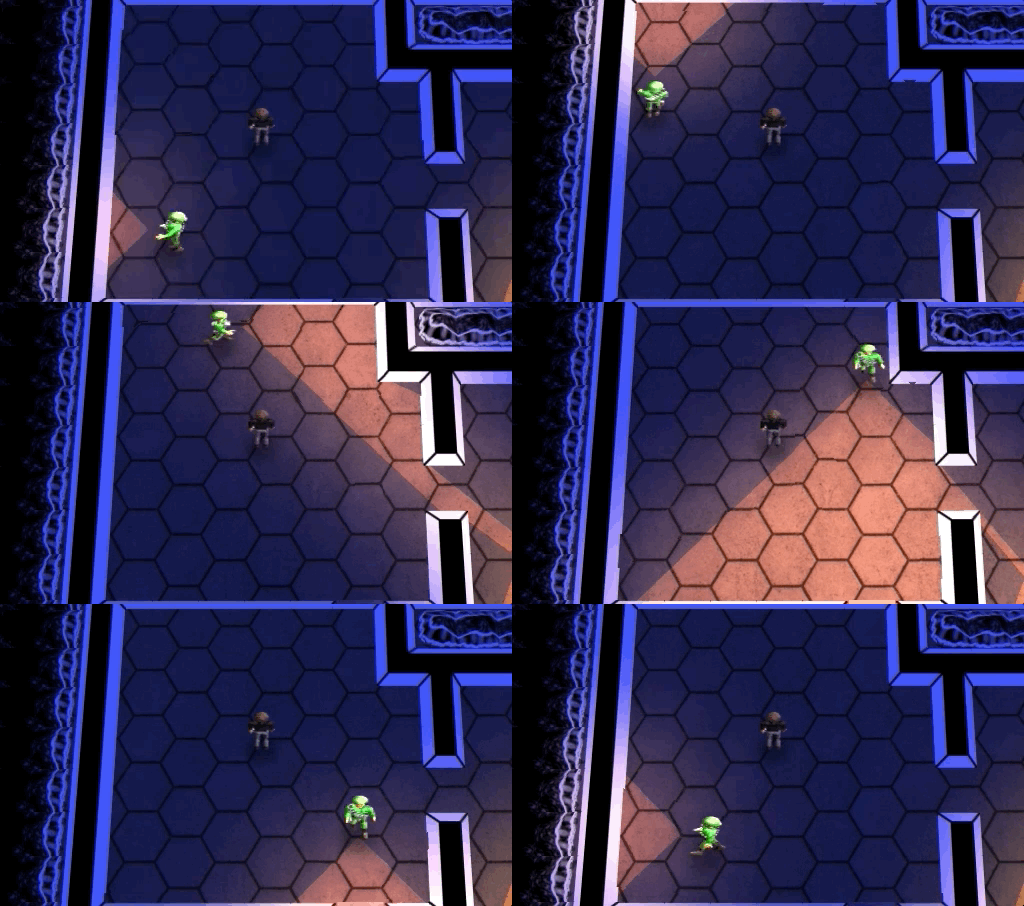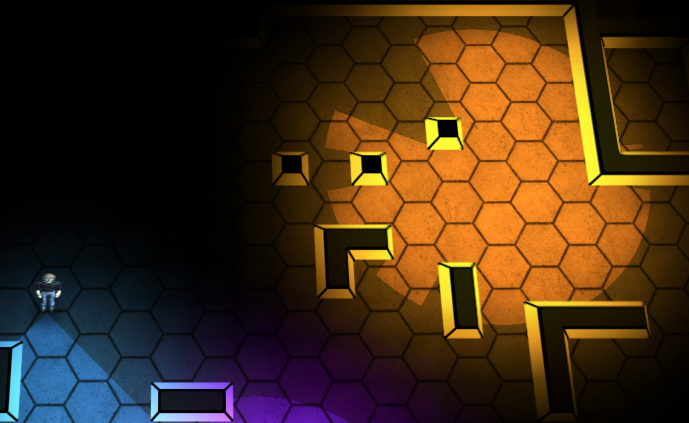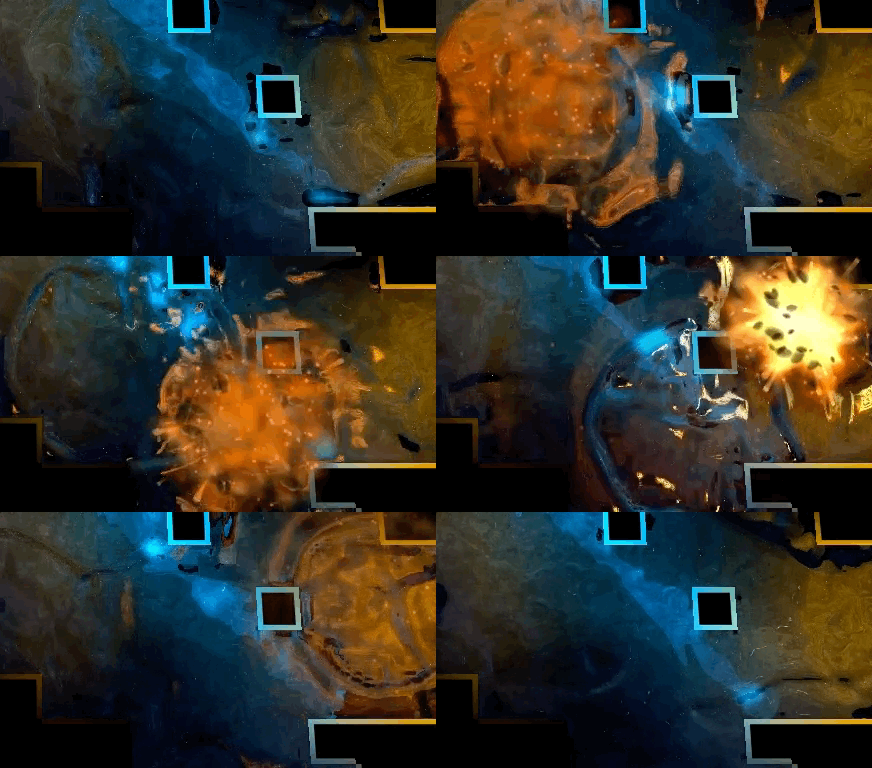
Hey there! Dynamite Jack is available now! The store on my website gets you a DRM-Free copy of the game for Windows / Mac / Linux AND a Steam code (Windows / Mac).
If you want to learn more about the development of Dynamite Jack, I’ve done dev blogs about it over the past month.
So in October of 2011, Ludum Dare hosted a second October Challenge. I had so much fun the last year, despite canceling my game, I decided to give it another go. I was really attached to the idea I felt I was approaching with Stealth Target, so I wanted to give it another try. Since I realized the aesthetics and UI were the biggest problems, I decided to take the game back to “Glorious 2-D” and use the aesthetic from my earlier Ludum Dare game Anathema Mines for the starting point of this game.
Here are cut-down versions of the blogs posts I made during the October Challenge 2011. Additional commentary included below the quotes.
I’m doing brute-force ray casting here and it works great. It’s really nice to be targeting the desktop using C, so I can do stuff like that. (The older LD version was in python so I had to code it smart, and if I were targeting mobile I’d have to be more optimized.) Anyway, my goal is to have this game selling on the Mac App Store before the end of the month for a few bucks.
TECH: I’ve done a fair bit of optimization here, but really, the main gist is that I raycast from the center of the light until I hit something. I have a few optimizations and whatnot that help make this faster, but nothing super clever. A win for the component object system was that I’m able to change the size of the shadows each object has, which helps for the fine tuning of the look. If you look carefully you can see the size of the player’s shadow get larger when he dies and falls down.
BIZ: I changed my mind about the Mac App Store before the end of the month. I soon realized that this game was coming out really good and that it was going to be worth taking the extra time to really polish it up before releasing it for sale.
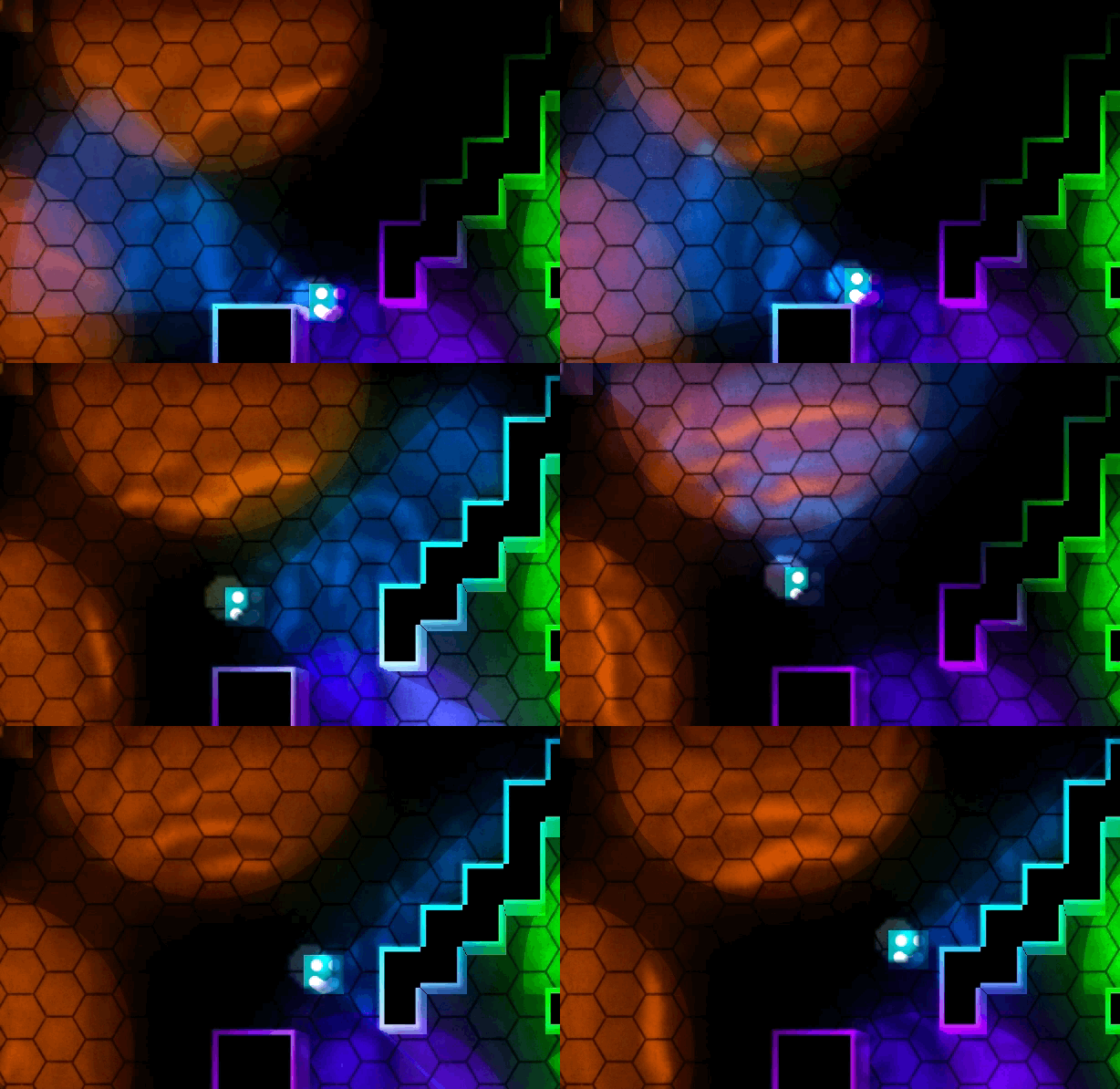
I re-did my lighting systems in the game so now I can have various colored lights and I can add ambient light to corners of the caves.
TECH: Each tile on the map is given an RGBA “lighting” component. Each frame I color where light is on the map, and then I blur the coloring of the map. Then I draw the flooring and tiles using the lighting values. I use a different averaged color for each corner so that the shading is nice and smooth. When the player walks you can see the lighting jump ahead by tiles, it’s a technical shortcoming, but it “feels okay” because it feels like the light is flickering a little.
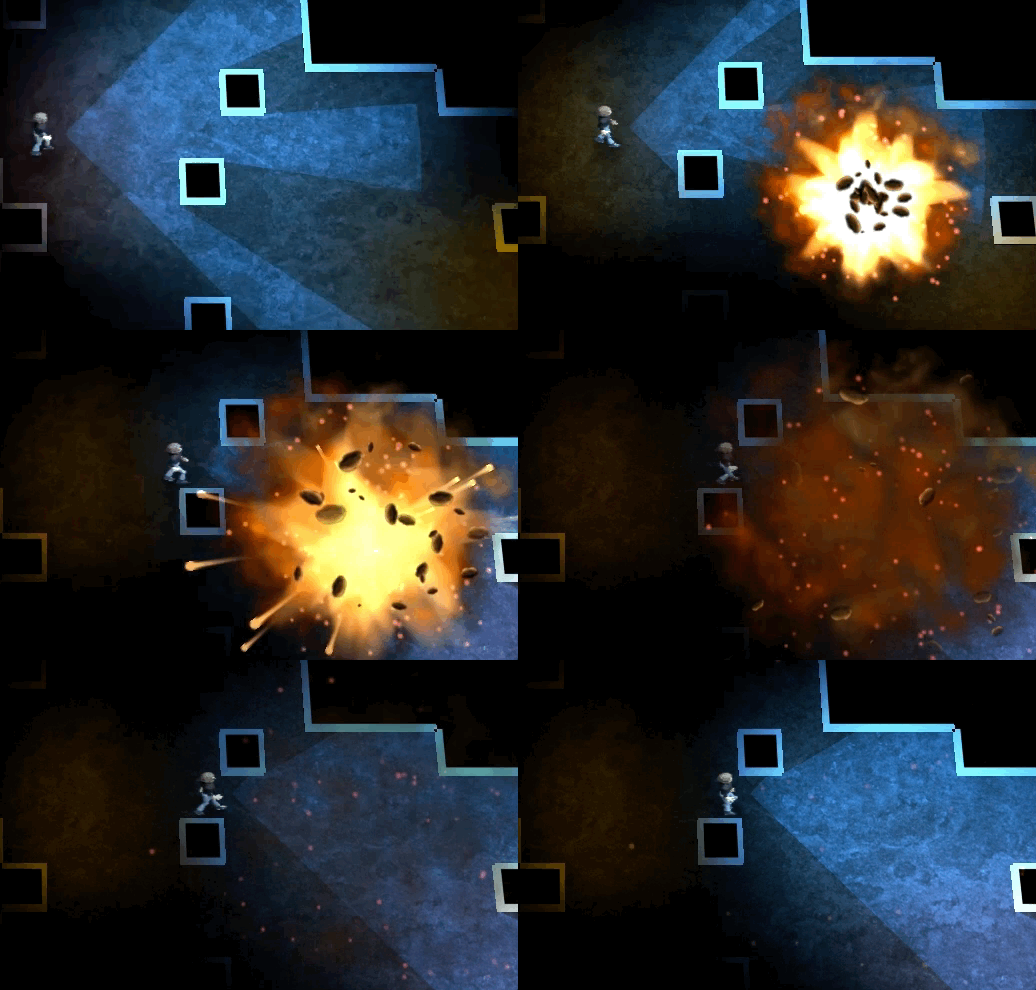
Some new goodies today. Well, the explosions I’ve had for a while, but I just added in the technology that you have to destroy in order to defeat the evil over-lords or whatever. The technology is RED that’s how you know it’s EVIL technology.
DESIGN: If you remember back to Dynamite the core game mechanic was exploding the load bearing pilars in the game so that the building would collapse. I decided that collapsing the cave like that didn’t make much sense, and that glowing alien technology would just look way cooler. I had to come up with a way for blowing up the tech to have a purpose, so requiring the user to explode all the tech of a single color to unlock some doors seemed like a straight forward design choice.
DESIGN: You can see the black “pit” below the explosion. In the prototype of the game, the explosions actually created holes in the floor that were impassable. I decided I wanted my game to never back the player into a corner, so I now have the explosions only break down walls and give the player more area to move in, instead of less.
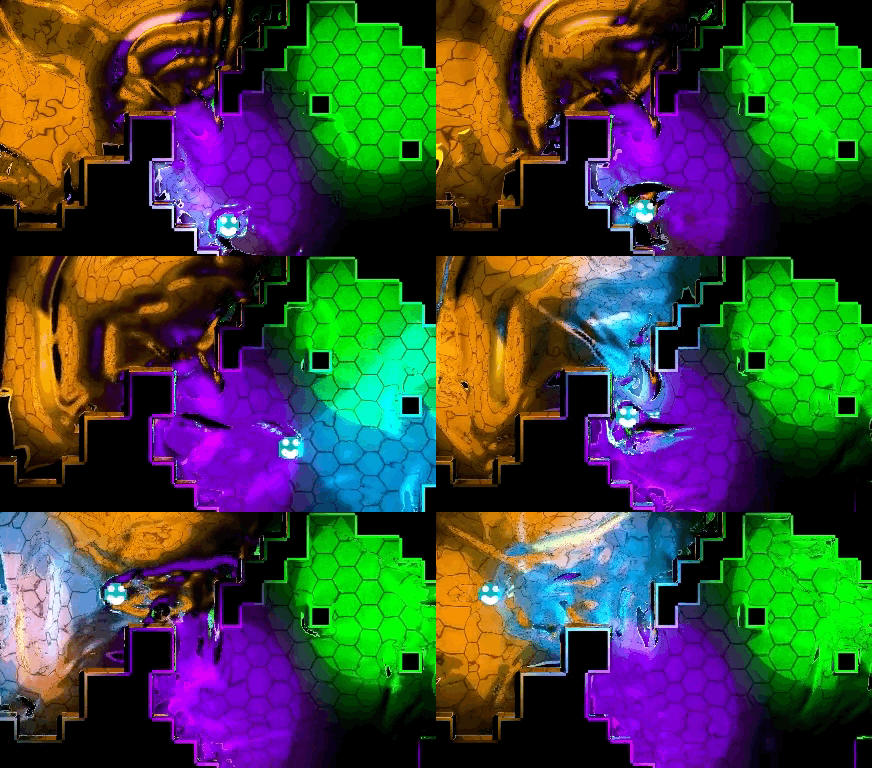
So, here’s my level editor thing. Right now I’m trying to figure out how to set up the level entrances / exits / pathways throughout the level. Sort of some kind of cryptic code system. I’m not sure how complicated I want it to be. Depends on if I will have the level editing open to the general public or not.
DESIGN: I was thinking about some really bad ideas at that point …
That said, I think I want it to be editable by normal people. So I think I’ll probably pass on using those weird codes. But at least now I have those cool hex icons for no reason.
DESIGN: I quickly came to the conclusion that if the editor was going to be too hard for a “normal person” to use, I would also eventually get sick of it. So I made sure to only include things in the editor that I felt everyone could use, not just myself. This really helped me when creating the levels for the game. Since I’m not hugely into creating levels, having a super easy to use editor was what made it possible for me to create the 28 levels for the game.
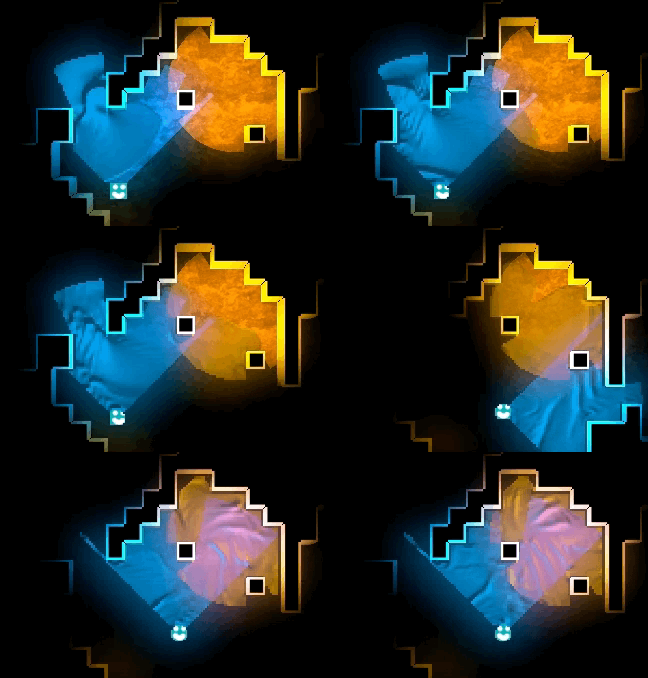
UPDATE: Using my cool-sauce edge generation script, with just a few minutes of graphics work I can get a totally different look to my game. This is going to be super helpful to giving my low-budget game the appearance that it has art in it (maybe).
TECH: This is the one place that I really used some fun python code. I created these interesting mini drawings of the walls in the gimp, one of the ones I use in the final game looks like this:
TECH: I then use a python script to use sub-sections of that image and face them in all different directions to generate the 200+ possible wall tiles for that style of wall. It took a fair bit of messing around to get this to work perfectly, and in fact the “red technology” has two separate layers to give it the look it has. I also save alpha data about each of these 200 sub-tiles which I use for the light ray-casting collision detection. I also use the same data for just plain collision detection.
Not entirely sure if I’ll make the Oct.31 deadline, but I’m making quite a bit of progress. I’ll keep plodding along and see where I’m at in a few days!
BIZ: I missed the deadline, but I came pretty close … My new objective was to send Valve a pitch video of the gameplay footage to see if they would want the game.
Here’s my gameplay demo video. I’m attempting to “monetize” the game as of Oct 31st, so I’ll report back on how well that goes.
BIZ: I didn’t report back, but I will now. I sent the video to Valve along with some of what I was planning. They were interested! Had they said no, I would not have spent more time working on the game. This was my way of attempting to “fail early” on this project by seeing if the game looked good enough to have mass market appeal.
DESIGN: You can see how the guards reacted to seeing your flashlight in the distance in this video. I changed this later on in development as it made the game too hard. Also the other “scientist” characters had that ability, so I decided it would give the game more variety if they behaved differently. You can also see how the guards turn around counter-clockwise in this video. This was somewhat random at one point, but now they always turn clockwise when going between two points. This makes tracking their paths much easier when playing.
It’s been a great month working on this. The game is coming along super-well, I imagine it’ll actually be released publicly in about a month now.
BIZ: I obviously have some rather poor time estimation skills. It is now six months later and the game is finally coming out this week! The amount of work and polish that went into this game were way beyond what I imagined, but it’s been totally worth it! I’m super pleased with how this game came together.
The game is coming out on Thursday, May 10th! Be sure to check it out then
-Phil
P.S. The prototype was named “Anathema Mines”. I almost named the final game “Escape from Anathema Mines” but enough people couldn’t pronounce or remember the name that I decided to change it. A TON of ideas were thrown around, but eventually Dynamite Jack stuck
Hey there .. a bunch of my beta testers really wanted the map editor to be part of the game, so .. well .. I went ahead and just got it done. So Dynamite Jack will launch on May 10th with the Map Editor! I created a tutorial video that both demos the editor and turns you into a Master-Of-Maps in about 3 minutes. Check it out.
This was pretty much a last minute decision, and a bit of a hair raising experience, as the first build I created and sent to the beta testers that included the editor actually broke some of the game levels. Fortunately, the fix was pretty easy and I got that under control. It’s always a bit risky adding new features this late in the development cycle, but I felt that it would really add a lot of value to the game for people who enjoy creating levels.
It also includes a whole community section where levels will be shared, so people who just enjoy playing will get way more than just the 28 included levels
Disclaimer: this is coming to the desktop version of the game. I can’t guarantee that it will be included in the iPad version of Dynamite Jack. That will really depend on how well the editor interface transfers over. If it doesn’t work well, I will not include it.
So at the end of 2010, Ludum Dare hosted the “October Challenge” .. This was the CHALLENGE:
Make a game — take it to market — sell 1 copy (or license it, or earn $1 in ad rev) in one month.
So, with my dream of making a commercial game out of Dynamite, this seemed like a perfect opportunity. With a single month time frame it was perfect for seeing what I could do.
Gameplay
Here’s a video of the gameplay. You’ll see it’s almost the same as Dynamite, though I’ve added several types of bombs, which kinda just makes things more complicated. One BIG advantage over classic dynamite is that the “shadow” along the one wall is actually visible so that makes a lot more sense logically, for the stealth part of the game.
Challenge Month
Oh man, it was a ton of fun! I blogged the whole experience. Here’s a “short version” of what went down:
I used the same free graphics I used in Dynamite for the character art.
And started whipping the game into shape really quickly. I was doing this all in my own custom 3D renderer. Which is a crazy thing to do, I think. At the same time, the progress in the first week was really exciting, and I was quite pleased with how the lighting and stuff was coming out. In this game the lighting had little purpose other than to “be pretty.”
Here’s a newer shot of my level editor. The level editor could be used in overhead mode (which was easier to use) or in the iso-view, which was way cooler.
And before the end of the month, I even added in sharing / community features for the level editor to the game. It’s crazy how much stuff I got done in that month!
I gotta say, I was pretty stoked about the sweet game I had just made! But that was all about to change … well, eventually
I got about 50 pre-orders of the game, which was, honestly a bit underwhelming. Lots of indies talk about “we did this pre-order and it paid for our 3 person team’s dev for the last 9 months of development time”. 50 pre-orders paid for .. well .. not that much.
Refunds
So, people seemed to sort of like the game. But over the next couple of months of working on it, I was realizing that it wasn’t coming out as the epic desktop game I had originally envisioned. It seemed to be a better mobile title. So I cancelled the beta. Here’s an excerpt from my blog with the lessons I learned.
Here’s some analysis on the subject, and why it didn’t work for Stealth Target .. and at the same time, the factors I think that would be important to having a successful paid-beta project.
Commitment to a larger vision. In the case of Stealth Target, I had a larger vision, but I eventually realized it was too grand for me to realize. I’m more of a small-scale game kind of guy at this point. Perhaps later in my game development career I’ll be doing larger projects, but right now, a “Galcon-sized” game is about as large as I can manage. I think paid-beta games need to be larger to justify the whole “user-buy in to help fund an epic game” concept.
Commitment to regular updates. I’m only one dev, and when I take a month to work on Galcon updates, and then take another month to take a break, suddenly the beta users haven’t heard a peep from me about the game in 3 months. Pretty weak “paid beta”. If I had a team and I had someone always working on the beta so it kept living despite my other obligations / plans, it might have gone better.
Building a development team. Yeah, I just touched on that, but it really does make sense. I could have a team, but my lifestyle doesn’t allow for it at the moment. My hours are too random and my work schedule too unpredictable. To have a team you have to have some consistency in your life, otherwise (I’m pretty sure) your team-members will get pretty tired of you. I think having a team would help deliver the quantity and quality of content and updates to make a paid beta make sense.
You can’t change your mind and be crazy. I still plan on finishing Stealth Target, however, I’m no longer planning on doing a desktop release of the game. The paid beta was for a desktop version of the game. So changing to a iOS-only plan really isn’t possible. The only way to cleanly resolve this was to terminate the entire beta and issue refunds. Really, for a paid-beta to make sense, the users have to have something they can depend on, and changing platforms mid-stream is just asking too much.
But the game was still in development, I was just switching over to targeting iOS instead of a desktop game.
Canceling the Project
So a couple months later I went to GDC with a build of the game in hand. I showed it to a handful of peers and demoing the game was extremely cumbersome, the user interface was .. well .. AWFUL. I could barely play the game on the iOS device I had in hand. I also was starting to feel that the visual feel of the game wasn’t “coming together” in a neat way at all. It looked 3D and all, but it was looking very dodgy overall.
Also, the code was starting to buckle under the weight of what I was doing. I was trying to add fancier lighting effects, which were not working very well
Adding things like shadows to the player and guard was not going to be possible. Shadows for different height pilars wasn’t working. There was an endless list of issues. And as you can see, the character art just plain looks bad when close up, which is how it was being shown in the game.
After demoing it to some friends at GDC, I decided to cancel the game. Which was really hard to do, I had put 5 months of effort into this game, and putting it down wasn’t easy at all. I realized that though I had some good ideas here, things weren’t working out. It would have taken me at least another 6 months to get the game ready for release and it wasn’t going to come out the way I wanted. I definitely think this was the right decision.
One of the things I’m thankful for is, by being an indie, I GET TO MAKE MY DECISIONS. So even though it was one of the hardest things I’ve done as a game dev, it was my choice. It wasn’t made by some corporate overlord, who suddenly took away the last 6 months of my life. It was my choice. I can’t imagine how hard it is to have part of your life taken away like that when you have no say in it. I’m very thankful that I’m able to make games as an indie.
Going Forward
Thankfully, six months later, I began work on what is now called Dynamite Jack. If you haven’t seen it, here’s the trailer, to give you an idea of how it came out.
Some of the lessons I learned because of the Stealth Target failure:
Don’t use 3D. For a small-scale indie, using 2D is soo much easier. I’m able to do all these cool lighting effects without having to be some kind of genius.
Don’t use weird controls. Arrow keys / Gamepad works WAAAY better for this type of player navigation.
Don’t confuse the user with too many types of bombs. In Dynamite Jack, there is one. And it gets the job done.
Those aren’t LAWS for everyone, but learning those lessons while creating Stealth Target enabled me to finally create the game I wanted to make.
I’ll be blogging about more of the dev of Dynamite Jack over the coming week. The game is coming out on May 10th to Steam on PC and Mac.
While developing Dynamite Jack, my pal and co-host from Ludum Dare, Mike Kasprzak suggested that the deaths didn’t have enough emotional impact. So I added more awesome deaths. ROGER WILCO STYLE.
Enjoy the Anathema Mines Chamber of Commerce Video:
When I first added in these crazy post-death animation sequences, I kind of felt they might be a bit “over the top” for my game .. So I added an option to toggle them on or off:
But they are so much fun, well, I’ve got it default to have them on But if you find them too gruesome (or silly), you have the option to turn them off.
During the game play, deaths are frequent, so they are only 2 seconds long. This keeps the flow and rhythm moving at a nice fast pace. The leaderboards of the game include the time it took you to complete the level as well as how many times you bit the dust
Anyway, the game is coming out May 10th! Hope you’ll enjoy it!
Hey there… This happens to me sometimes. I want to be able to turn on a debug mode or a tool that will crash my code during runtime. I can use Xcode, MSVC 2008, or GCC under Linux. Anything. Though, XCode is preferred. This must work with C++, not just C code.
// I don't want to change my code. I don't want to use Array templates.
// I just want a debugging tool that will crash my code when I do
// array out-of-bounds, even if they are "safe." Here's my example.
struct Goods {
int x[10];
int y[10];
int z[10];
};
int main(int argc, char *argv[]) {
Goods data;
int k = 11;
for (int i=0; i<k; i++) { data.y[i] = 1; } // SHOULD ERROR ON i == 10
int j = -1;
for (int i=j; i<10; i++) { data.y[i] = 1; } // SHOULD ERROR ON i == -1
return 0;
}
Changing my code, using STL, using “new”, using “malloc” are not options.
So the theme of PyWeek #1 was “Power” .. I worked with my brother-in-law Tim on this game, and we spent a fair amount of time working with the idea of using a “mind control power” over the characters in game. So I wrote some A* code to navigate things around and whatnot. This was boring. So I made it so you could blow something up. This was exciting. We decided “the power of dynamite” was what the game was about, since the dictionary definition of dynamite said something about “a powerful explosive.” Not my best “theme compliance” for a game jam, I’ll admit.
Gameplay
The best way to see the gameplay is to PLAY THE GAME if you have Windows (Download the post-compo version, it’s a little shinier.) But short of that, watch me play through one of the levels. There’s a ton of interesting differences between this and Dynamite Jack. The most significant one is that in Dynamite you can “fail” really easily. You can block yourself into a corner by destroying the floor, and you can run out of bombs. Those are both design decisions I changed for Dynamite Jack.
Fun facts
Tim created all the music for this game, one of the tracks is based on a fiddle tune as well. You may be able to tell that the character art in this game is the same character art I ended up using in Dynamite Jack. It’s all from Reiner’s Tilesets. It definitely helped a ton to have that art work. It ends up looking really sharp in Dynamite Jack because I scale things down so small.
I also brought the “dynamite drop” sound effect from this game into Dynamite Jack. It just sounds so cool.
Post-Mortem
I think one of the big gameplay mechanics I like in that game is that when you sneak along the walls you are invisible to the guards. It kinda leaves the “lighting effects” to your imagination. But one of the problems with that is that it’s not very obvious. I used the different colored cursor to help the player be able to know where the safe zones were.
This game introduced the fun of having guards running to check out whatever you just exploded. I did the voice acting in this prototype of the game.
The idea of this game really stuck with me for a long time, so for the next several years I always talked about going back and re-making it.
TO BE CONTINUED …
(Dynamite Jack is coming to PC / Mac in mid-May. Check out the trailer to see the difference from the original shown here.)
I’m gonna dig into some of the tech behind Dynamite Jack, so hold onto your seats.
So, a lot of devs are into Component Object game design. That article is by a friend of mine who goes into a good overview of a lot about the model. Anyway, you could probably spend all day reading the resources he links to. The short version (as I see it): Ideal Component Object game design is like a Normalized Database. It basically means, it’s kind of a chore to get it working but it’s super flexible and powerful.
I thought that was interesting. So I went to a talk at 360iDev by Gareth Jenkins. He demonstrated how to do component architecture with real concrete examples, which really helped me get my head around the idea. But the most profound bit of the talk was the end, where I remember him saying something like:
“It doesn’t matter HOW you do this, as long as you DO IT.”
That was super freeing for me. The idea that it didn’t matter how hacky I did it, but it would still give me all the benefits was very helpful. So here’s how I do the component object model in Dynamite Jack:
Now, you’ll see the cool bit is that I have access to all data without creating anything, so no free / delete needed. The simple bit is activating a feature is just a matter of setting “has_light” to on or off. That’s how I actually turn on and off the player’s flashlight in the game.
In the game code, I just loop through all the items and dispatch to various functions for each component type.
void sys_loop() {
LOOP_ENTITIES() {
if (e.has_player) { player_loop(e); }
if (e.has_guard) { guard_loop(e); }
if (e.has_light) { light_loop(e); }
if (e.has_position) { position_loop(e); }
}
}
And I have a similar function for handling events, and painting the screen. It made it really great for prototyping the game and changing features. The “cave trolls” in the game (see at the start of the trailer) had their AI replaced quite a few times, and being able to just hack new things on and change things around without breaking my other entities was really nice!
One of the other nice things about having it explicitly in code, as opposed to “registering” things magically, is that I can see exactly in my code what order the components are being run in, so if something depends on something else, I can be sure they are in the right order.
Dynamite Jack has 20 different “components” but they all lie in the same big structure. Another cool one is having an “action” component, which doesn’t even exist in the game, it’s just a timer to trigger some future event. With everything being an Entity, it just gets it’s own loop called, and is able to do whatever.
So, yeah, my method gives me only a single Class, as many components as I like, and the flexibility to mix and match stuff. The power to toggle components on and off. And a fixed amount of memory used. So easy “save to file” style serialization of the game state.
Anyway, that’s the tech for the day. I definitely recommend component systems, it makes it SO EASY to try new things with your game, and be able to tweak them until they work “just right”.
-Phil
P.S. If you’re looking for the code on how to do this, it’s all in this post. It really can be THAT SIMPLE
Hey there, here’s something I thought you might be interested in, a fast motion replay of me building a level for Dynamite Jack.
The level editor is not included in the game, because right now the interface is a little tricky But if enough people are interested I’ll probably add it in an update after the game launches.
Right now it uses a combination of keyboard and mouse controls. It’s pretty fast for me to make levels, and I’ve designed it mainly for my speed in prototyping and editing together new levels. It has worked pretty well. The editor only has a single “layer” .. so the background and foreground are all one layer, which makes it so some stuff isn’t possible, but in general, it made things way simpler for me to build levels.
The development of Dynamite Jack was a really involved and long-term project. The project started almost exactly SEVEN YEARS AGO. I’m going to do a series of blog posts over the next few weeks leading up to the release of Dynamite Jack highlighting both the features of the game, the development of the current version of the game, and the unique history that went into the development of this game.
Seven Years Ago Today …
The first prototype I created of this game idea was during the 6th Ludum Dare game jam. This was only my second game jam I ever participated in, and it was an amazing experience. I was learning how participating in game jams stretched me as a game designer, so instead of just saying to myself, “hey, I’ll make a Mario 3 clone today!” I was given a specific theme that I had to design a game around!
Light and Darkness
The theme was light and darkness, which today I still think was one of the greatest themes ever for a game jam. It brought a ton of unique concepts out of all the developers who participated in that jam. My game was called “Escape from Anathema Mines”:
The Gameplay
To give you an idea of the gameplay, well, you can play the game on Windows, maybe. Or using pygame, if you know how to get that working. Or, you can just watch this video of me attempting to play the game today
Some differences in the gameplay from Dynamite Jack are – in the original, the flashlight could run out of batteries. The guard could hear you when your flashlight was turned on. And if you took too long, you’d run out of time for no apparent reason.
Fun Facts
The name “Anathema Mines” was inspired by a greek word I heard in a sermon meaning totally accursed. This seemed to match my feelings for being forced to work in salt mines, so I went with it for the name of the game. The speaker who taught me that greek word, Lyn, posed for the totally awesome title screen art of the game.
Also, the music in the game is based on a fiddle tune that I knew called “Tennpenny Bit” .. You can hear a rustic recording of a band I was in playing it about 7 years ago here listed under “Two Dinners and Sunday Brunch”.
The Post-Post Mortem
After a game jam I often write up a post-mortem of what went right and wrong in the dev of the game. I’ve posted that in verbatim below. I’ve included my “hindsight” comments highlighted in yellow, so you can see what I think of my analysis of the game seven years later
This year I spent around 2 hours planning before I actually started writing my game. I also bounced ideas around with some friends to come up with a really good game concept. I believe spending this time planning before actually creating really helped out in the fun factor this year. Last year my fun score was fairly low. My first jam game was called “Cuzco’s Goat Bloat Game” and it featured my pet goat Cuzco .. but it was crazy hard to play
I used pygame again this year to great success. I love pygame, and I still use it for jams sometimes. Python is the best. It was easy to get my game up and running and working quite nicely by the time the contest came around. I also used my own level and tile editors, which helped save a good deal of time. I also was able to use my MR-8 for recording sound effects, ModPlug and n-track for creating the music. I was quite pleased with the quality of audio I was able to create in about 2 hours. I also utilized friends to do play testing. This also helped in the fun factor, as I was able to get some good feedback on what parts of the game were fun, what levels were too hard, etc. I’ve done a ton of this for Dynamite Jack. It really helps. My wife, Nan, is the primary tester of Dynamite Jack, and if she doesn’t like a level, she won’t play the game again until I remove it from the game. I was also pleased to have enough time to create 5 levels for the contest, giving my game a fairly complete feel.
For next time, I am interested in learning a 3-D kit so that I can do fancier graphics. My game would have still been a 2-D game, but with the added light effects, I think that would have helped my production. I did just that for Dynamite Jack. Jack is written using OpenGL, but I have the game in 2-D mode all the time, so I never use any 3-D effects. I also don’t actually use the OpenGL lighting features, I pre-calculate all the lighting in my code. But being able to have vertex colors makes the nice shading in Dynamite Jack. Escape From Anathema Mines was written in PyGame which is based on SDL, and I only had simple blitting of images. The effects that I managed in this early prototype are actually doing a cool job of pushing the boundaries of what pygame was able to do.
The Good
Prep: I made sure all my tools were installed and working before the contest
Planning: gave me considrable direction and a better starting idea
Tools: pygame, pgu (level and tile editors), ModPlug, n-track, Audacity
Windows: knowing how to use py2exe
Testing: Having lots of it. Game play came out good, and no critical bugs were in the contest edition.
Time: Managing time from most important features to least
The Bad
Tools: wish I had 3-D tool knowledge to do my lighting effects and hi-res graphics.
Testing and Time: wish I had more time to do more to weed out the last few non-critical bugs, but you can only do so much in 48 hours.
Glaring omission here: the horrible controls! You can see in that video how I’m barely able to control the main character. He moves like a go-cart or something. I have no idea why I designed it with “rotate left” / “rotate right” / “forward” / “reverse” controls instead of just using the arrow keys as ARROW KEYS.
Going Forward
Going forward, well, my game only placed about 8th place in the competition, and nobody was super into the game at that point, so I didn’t bother to do anything with it beyond doing a few post-competition tweaks to the game. Thus Anathema Mines was put aside for quite some time.
TO BE CONTINUED …
(Dynamite Jack is coming to PC / Mac in mid-May. Check out the trailer to see the difference from the original shown here.)